Garage Planner: From 3D to DIY
An interactive 3D tool I built to test garage layouts, move storage and equipment around, and estimate materials and costs before turning the plan into a finished renovation.
See it in action
The Challenge
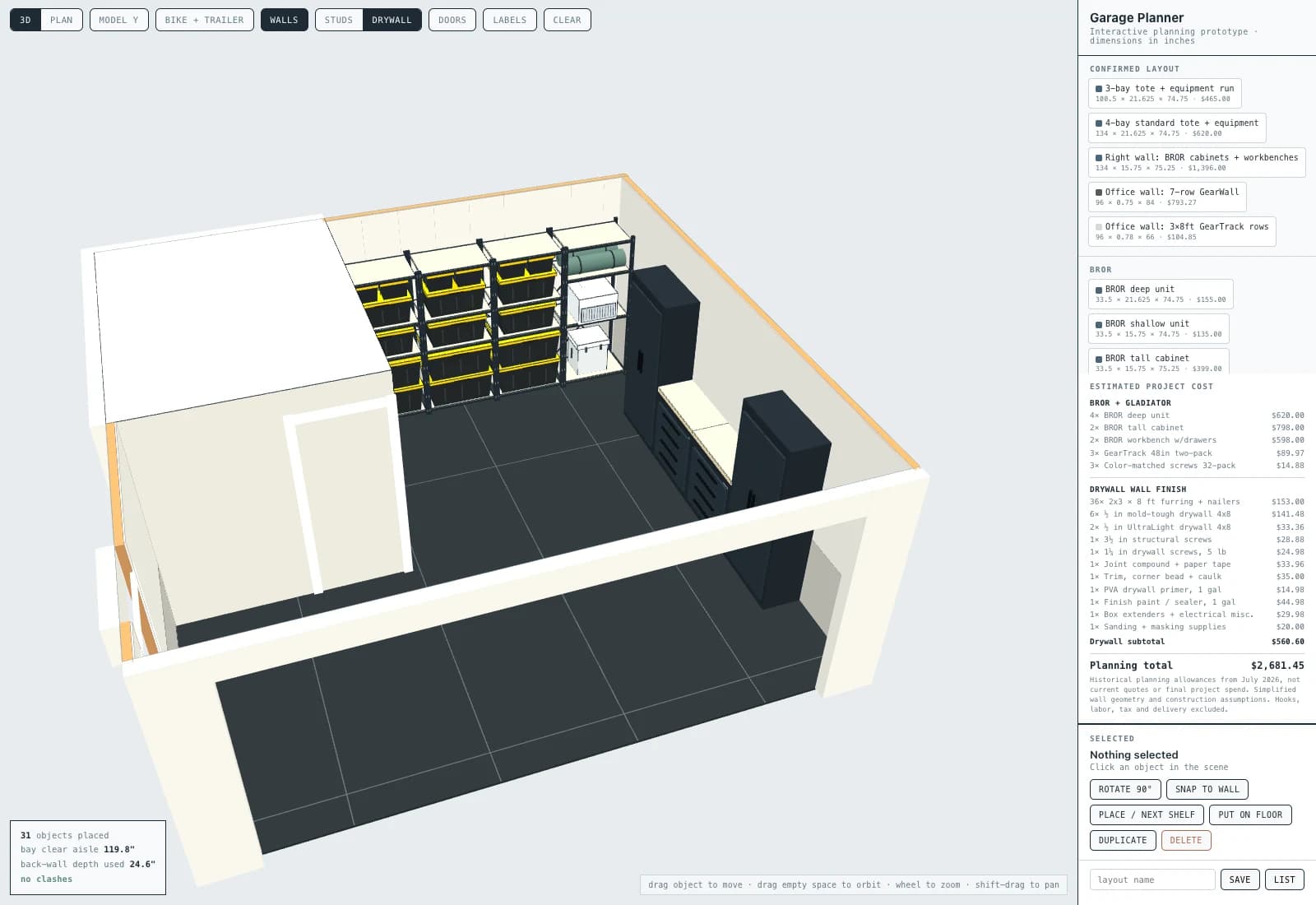
Our garage needed to hold family gear, bikes, tools, a freezer, and a growing pile of storage totes while still leaving room to move and work. A shelving shopping list could not answer the important questions: would the layout fit around the office and doors, could I reach the things I actually use, and what would each option require in materials and money? I wanted to test those decisions before buying furniture or starting the physical work.
The Solution
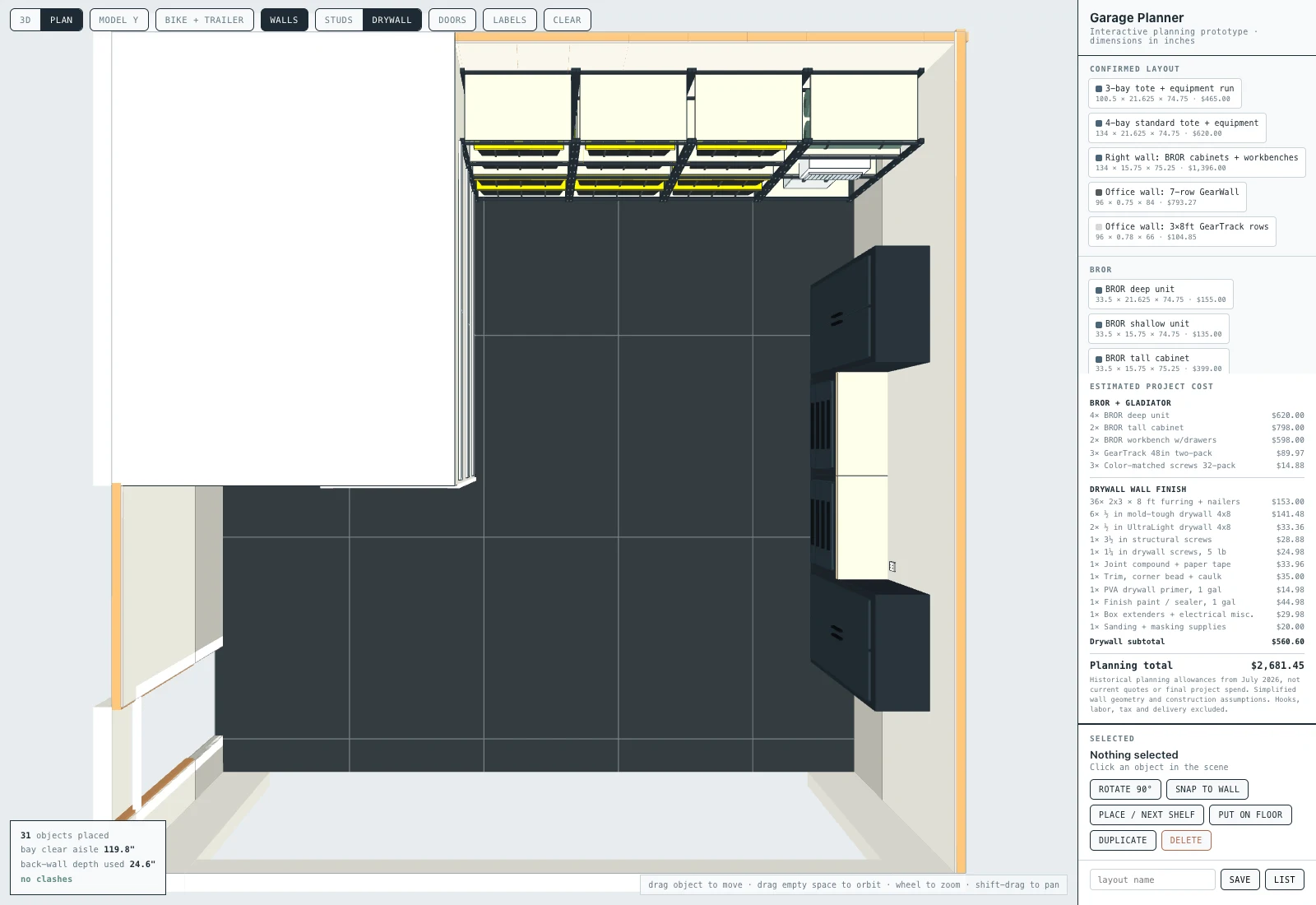
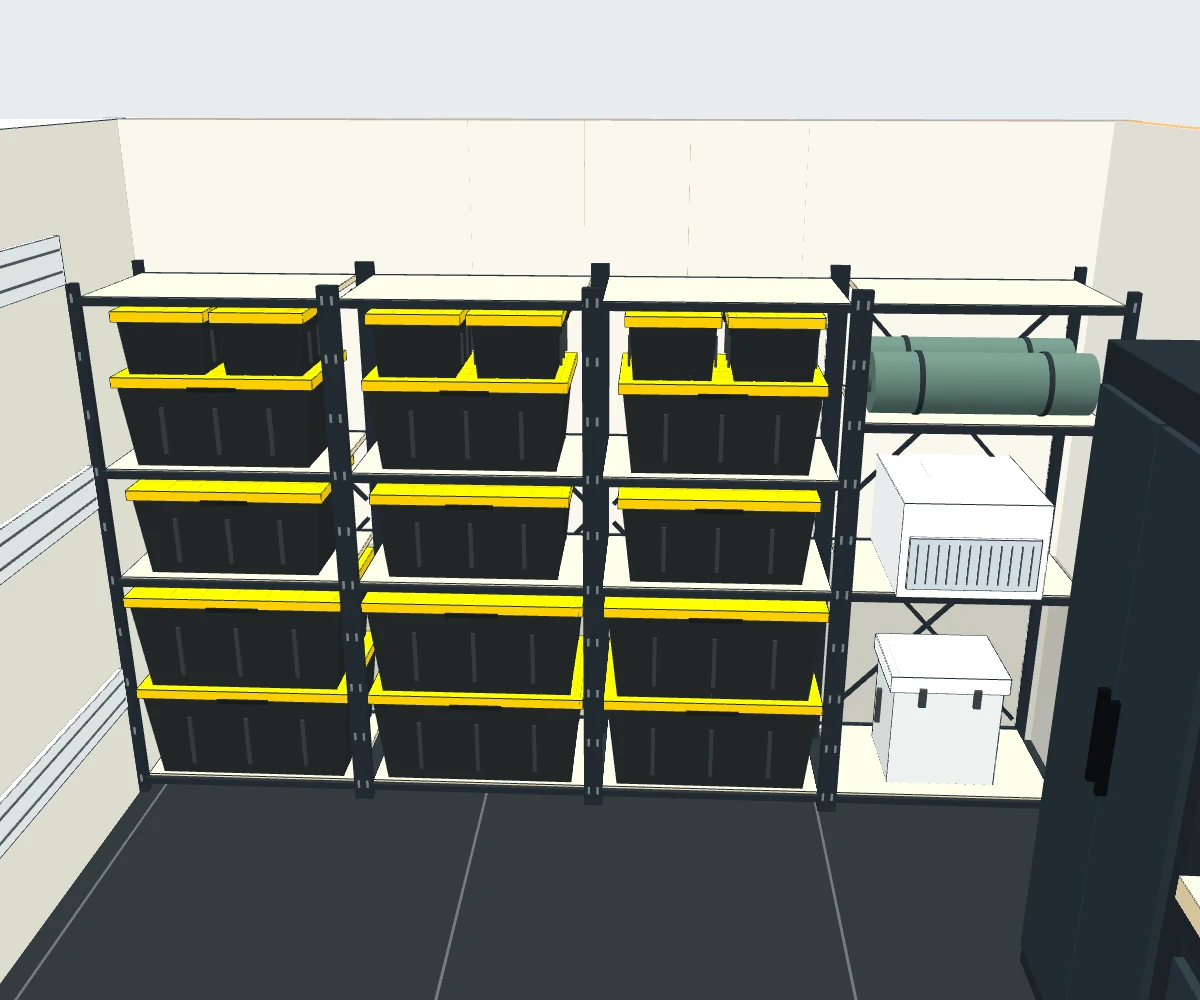
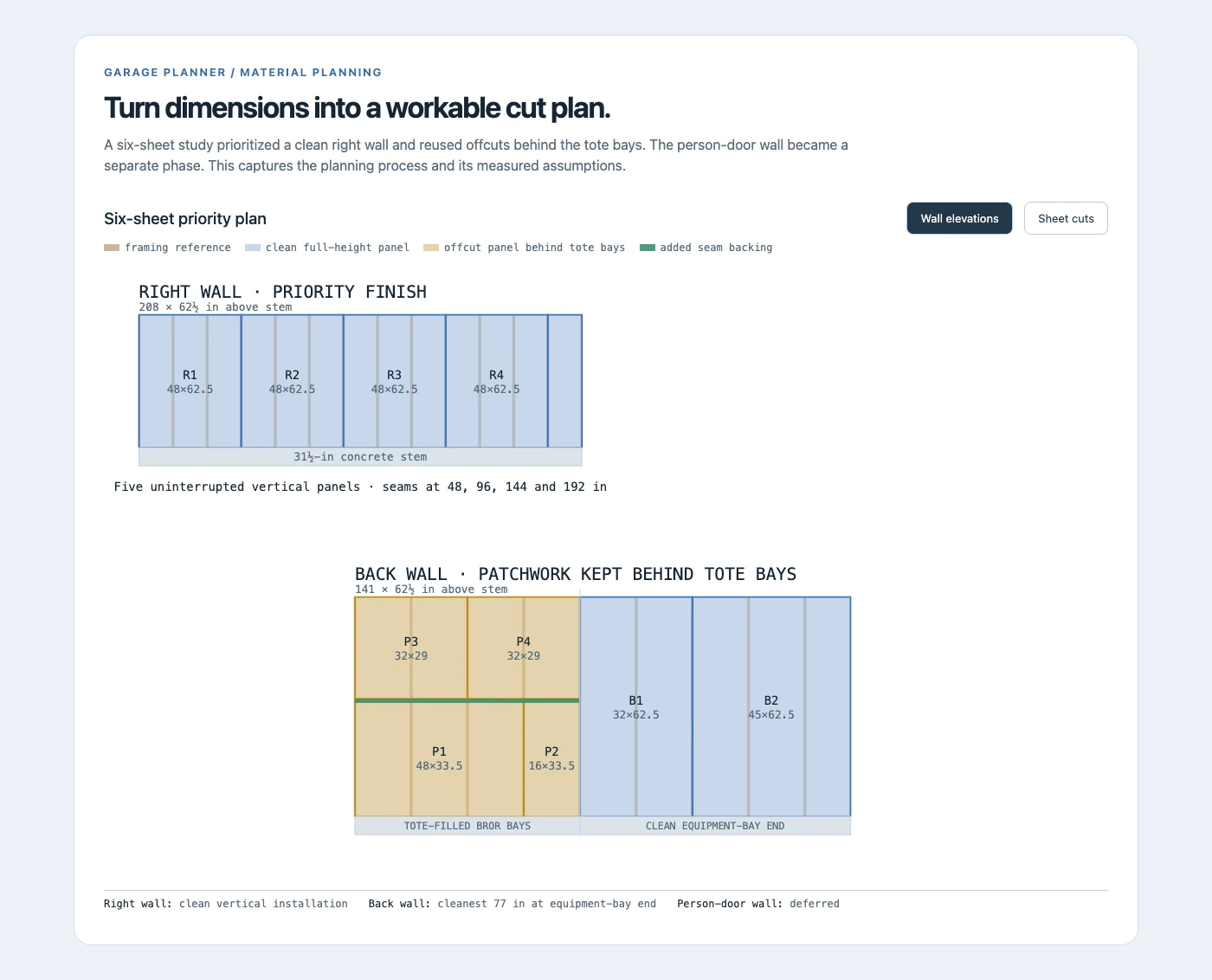
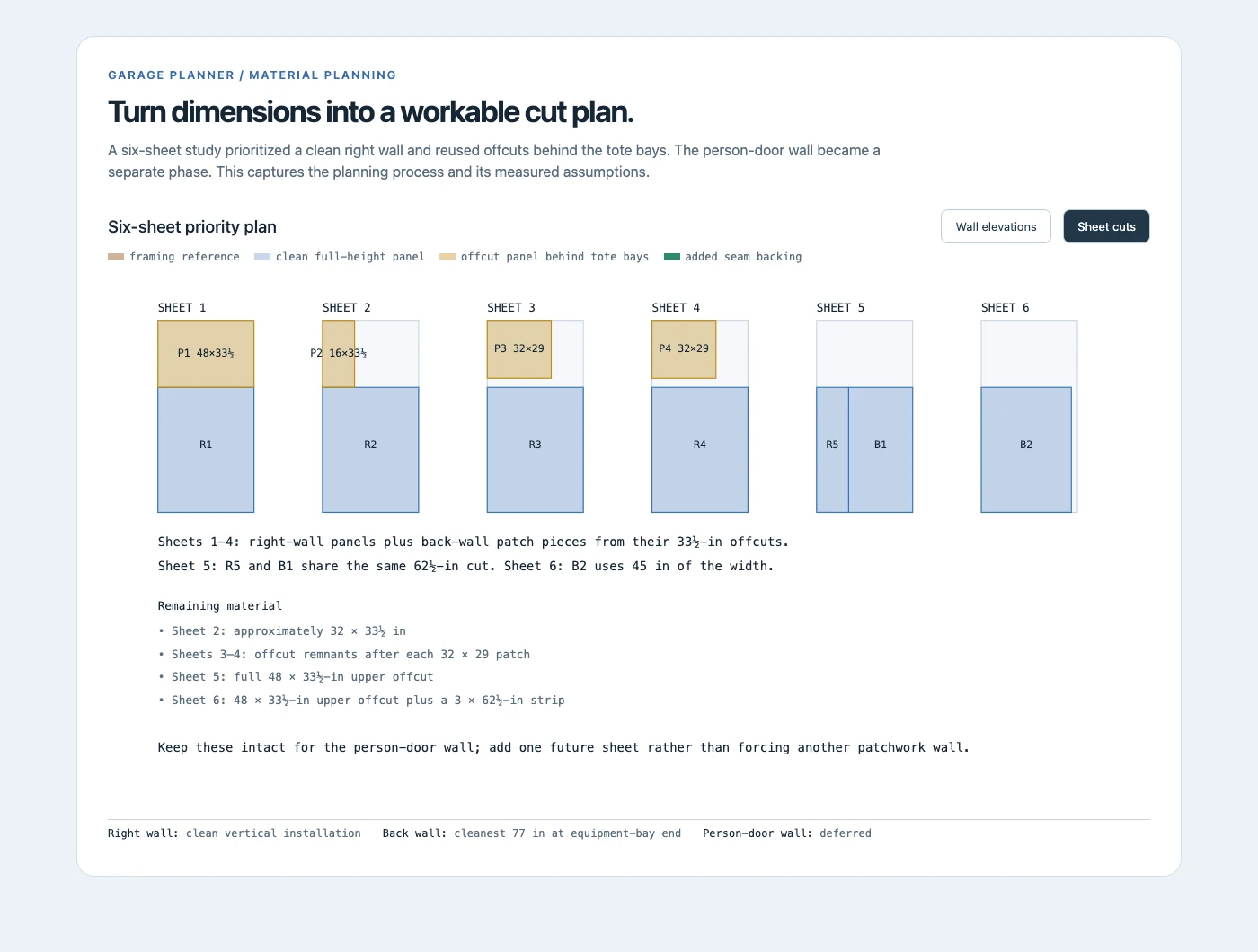
I built a browser-based 3D garage planner with an AI-assisted development workflow. It models the garage and its office footprint, then lets me add dimensioned shelving, cabinets, workbenches, totes, and bulky equipment from a catalog. I can drag items, rotate them, snap them to walls, and place them on shelves or work surfaces. Orbiting, panning, and zooming make the layout easy to inspect from different angles. A top-down view and vehicle and bike overlays help test floor space, while clearance and clash readouts surface problems as the scene changes. The same layout drives an itemized storage estimate, with a wall-finish toggle adding a drywall materials allowance. Alongside the planner, I generated wall elevations and drywall cutting studies to turn the chosen layout into a practical work sequence. The tool became the bridge between exploring options on a screen and renovating the garage with my dad.
A closer look
The Outcome
The garage renovation is complete. The planning work produced a reusable interactive tool, a four-bay BROR storage layout, a cabinet and workbench run, itemized cost and material estimates, and drywall cutting diagrams that supported the physical build. The useful outcome was being able to inspect a change, see its spatial and purchasing implications, and make the next decision before committing to it in the garage. The portfolio demo preserves that planning workflow. Its prices and construction allowances are historical estimates rather than the final project spend.
Tech Stack
- Three.js
- JavaScript
- HTML/CSS
- 3D Planning